 CopyTrans Studio

It couldn’t be easier: you simply drag a file, such as a HEIC photo, into a website upload area and get it back in the desired format, for example, in JPG. These online converters are easy to use and very popular.
This is precisely why such simple tools make cybercriminals’ work easier and more attractive.
Read on to find out what risks online platforms pose and how you can use online converters safely.
Security risks
Online converters may come with the following risks:
- You may lose control of your personal information when uploading your data.
- Some file converters can add malicious components into the converted files. On March 7, the US FBI warned of fraudulent file converters that install malware on users’ computers.
- In phishing, dangerous websites are often disguised as trustworthy converters to deceive users.
In certain cases, the service may analyze the uploaded documents and extract personal details such as your date of birth, phone number, or email address. Such information can then be used to steal personal data, for example.
Although the file converted by the online service is in the desired format, it can also contain malicious code in the form of scripts and macros. They are automatically activated as soon as users open the file on their system.
How to protect your data
There are several proven approaches to reduce the risks associated with online converters:
Use pre-installed operating system tools or special software.
Windows offers only limited support of the HEIC format, which is why special HEIC converter programs are needed to view these files on Windows systems. One usually can convert them to more common formats such as JPG or PNG.
A Windows tool that can convert HEIC files to JPG, PNG, or PDF without internet access is CopyTrans Studio. After a quick installation, all HEIC photos become visible on Windows and can be converted to another format with a single click.
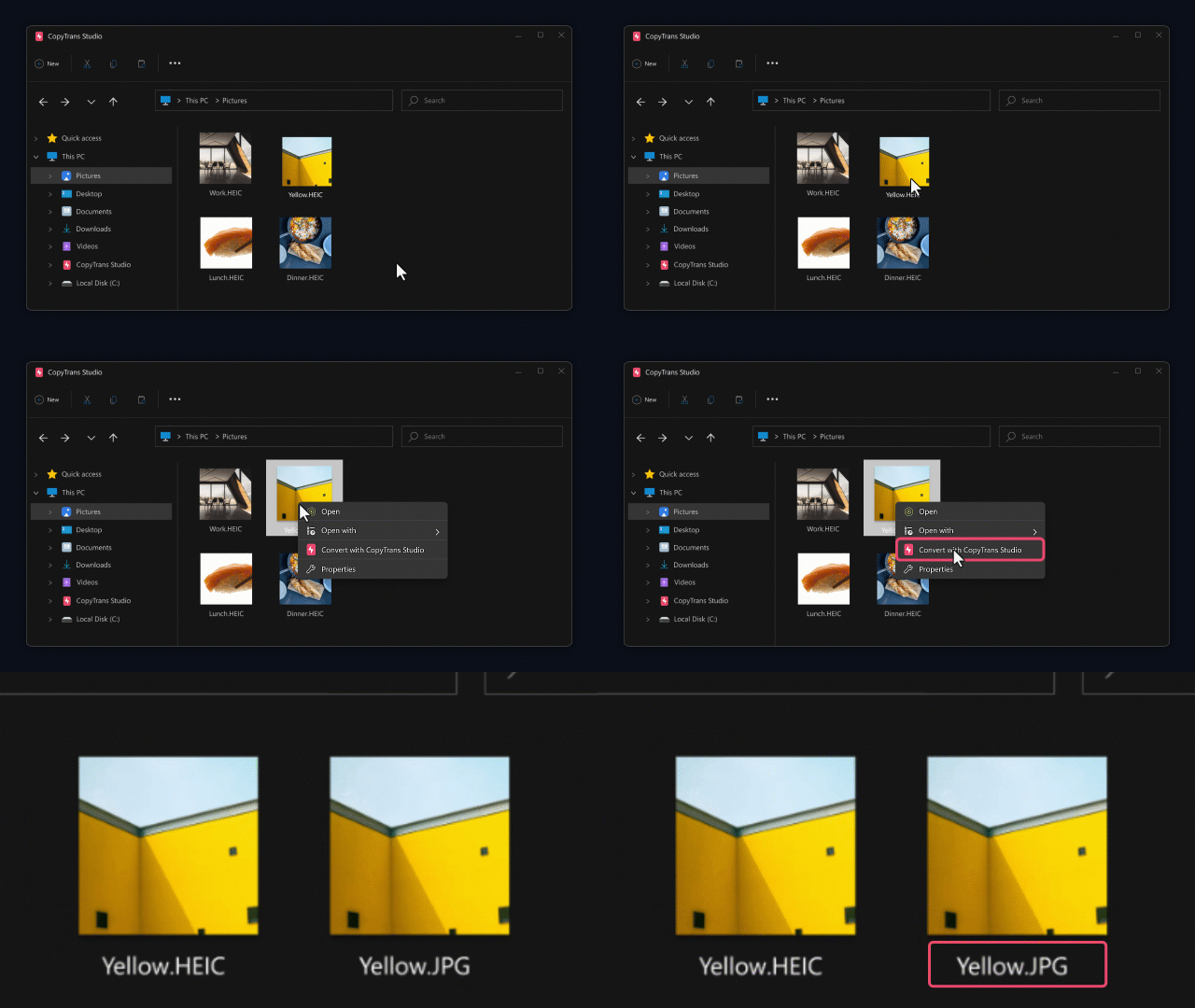
TIP: You can easily transfer photos from an iPhone to a PC and convert the photos to JPG upon the transfer with CopyTrans Studio.

Manage iPhone Photos with CopyTrans Studio:
- View HEIC without conversion or convert it to JPEG
- Copy iPhone photos to your PC or an external drive
- Clean iPhone Photo Library on your PC
- Wired and wireless connection
- Customer support by mail within 24h
Surf in incognito mode to minimize the risk of data loss.
This prevents the browser from saving your history, cookies, search queries, or other data on the device. As soon as the incognito window is closed, all information collected during the session is automatically deleted.
Always scan converted files before use.
VirusTotal can help you with this.
Choose a reliable service.
When choosing an online converter, pay attention to the following criteria:
Use well-known platforms with a proven reputation.
Make sure that the service uses the HTTPS protocol. It encrypts the data you send and receive so that no one can read or change it while it is converting. HTTPS also protects you from fake or fraudulent websites.
Read the privacy policy first to find out how the service processes your data.
TIP: The address of the websites with HTTPS starts with “https://”. There’s often a small padlock displayed in the address bar.
Tips for using online converters safely
To avoid risks, follow these rules:
- Do not upload photos and videos containing personal information.
- Consider using a VPN for extra protection.
- Update your antivirus software regularly.
- Clear your browser cache after finishing the conversions.
- Use tools installed locally on your machine, not online services. The best way is to use CopyTrans Studio.
Conclusion
All online converters carry potential risks. Therefore, you need to be careful not to put yourself in danger. Follow the simple rules to minimize the risks and use online platforms safely. However, if you need to manage confidential data, it is better to use tools that can be installed on the PC and function without an internet connection, like CopyTrans Studio does.
Don’t forget — every user is responsible for their own online safety.