 CopyTrans Studio
Thank you for downloading CopyTrans Studio
If the download didn’t start, please click here.
Check the Installation steps below for guidance.

Step 1
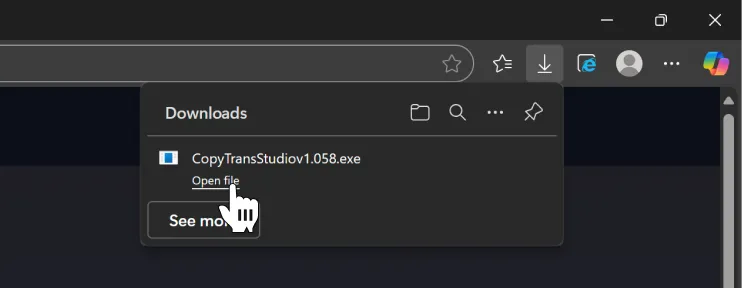
Launch the CopyTrans Studio installer
Open CopyTransStudio.exe either in the download history of the browser in the upper-right corner or in the Download folder of your PC.
Step 2
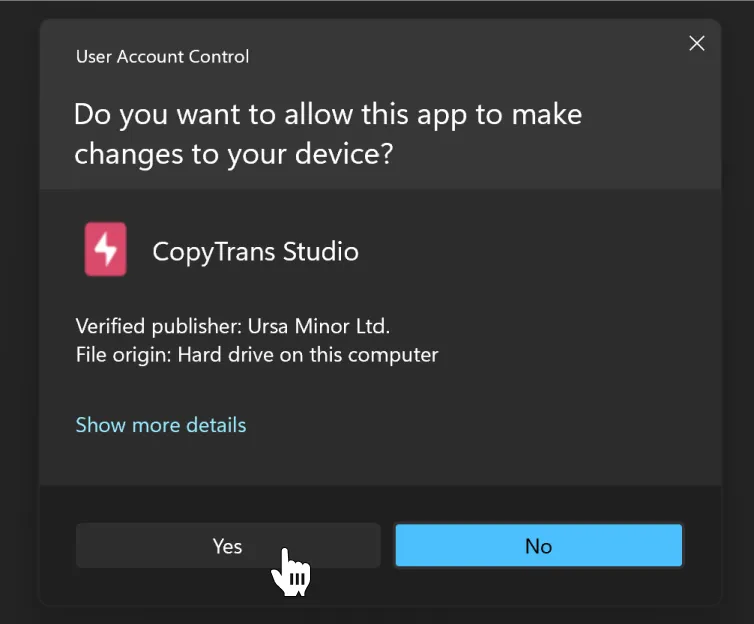
If the consent prompt appears, click “Yes”
CopyTrans Studio requires administrator privileges to install its components.
Step 3
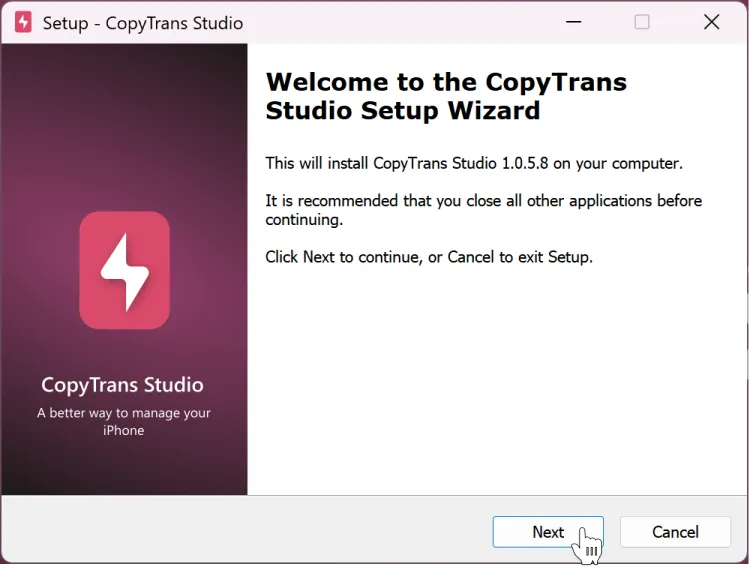
Click on “Next” to install
Install the software normally. At the end of the installation, you’ll be asked to restart your PC to finalize it.
Step 4
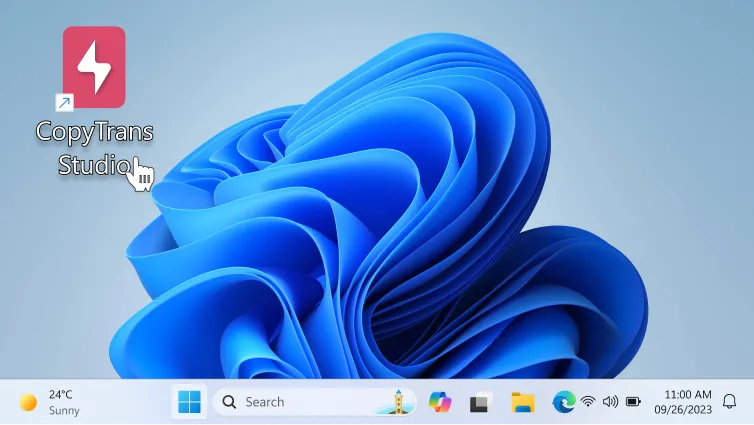
Double-click on the CopyTrans Studio shortcut
You can launch CopyTrans Studio with the shortcut like any other app. You can also find CopyTrans Studio in the “This PC” folder or in the left navigation pane of any folder.
Read the guide on how to use CopyTrans Studio.
Be the first to know about CopyTrans Studio updates and hot offers
No SPAM. Unsubscribe whenever you want.
Thank you for your interest in CopyTrans Studio
CopyTrans Studio is designed to help you manage Apple devices on a Windows PC. Would you like to receive a download link by email?